SpatialLocationCalculator
inputDepth 提供的 depth 深度图计算 ROI(感兴趣区域)的空间坐标。它会计算 ROI 内深度值的平均值,并去除超出范围的值。你也可以在主机端计算空间坐标,示例在此。该示例还包含了设备端执行的相同逻辑(calc.py 文件)。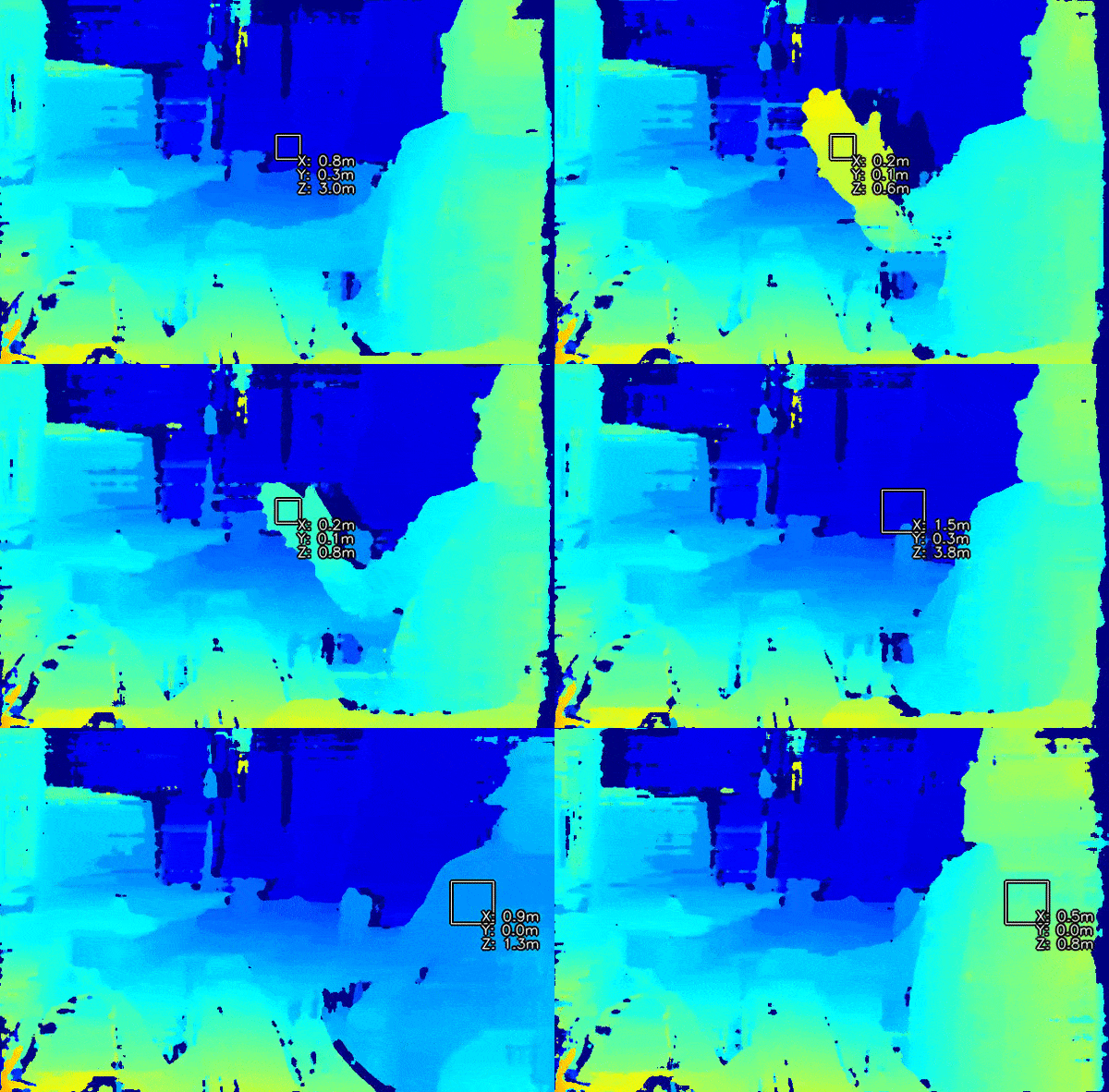
如何放置
Python
Python
1pipeline = dai.Pipeline()
2spatialCalc = pipeline.create(dai.node.SpatialLocationCalculator)输入和输出
使用示例
Python
Python
1pipeline = dai.Pipeline()
2spatialCalc = pipeline.create(dai.node.SpatialLocationCalculator)
3spatialCalc.setWaitForConfigInput(False)
4
5# 设置初始配置
6config = dai.SpatialLocationCalculatorConfigData()
7config.depthThresholds.lowerThreshold = 100
8config.depthThresholds.upperThreshold = 10000
9
10topLeft = dai.Point2f(0.4, 0.4)
11bottomRight = dai.Point2f(0.6, 0.6)
12config.roi = dai.Rect(topLeft, bottomRight)
13
14spatial_calc.initialConfig.addROI(config)
15
16# 稍后你可以从主机(XLinkIn)/ Script 节点发送配置到 InputConfig功能示例
空间坐标系
参考
class
depthai.node.SpatialLocationCalculator(depthai.Node)
method
getWaitForConfigInput(self) -> bool: boolSee also: setWaitForConfigInput Returns: True if wait for inputConfig message, false otherwise
method
setWaitForConfigInput(self, wait: bool)Specify whether or not wait until configuration message arrives to inputConfig Input. Parameter ``wait``: True to wait for configuration message, false otherwise.
property
initialConfig
Initial config to use when calculating spatial location data.
property
inputConfig
Input SpatialLocationCalculatorConfig message with ability to modify parameters in runtime. Default queue is non-blocking with size 4.
property
inputDepth
Input message with depth data used to retrieve spatial information about detected object. Default queue is non-blocking with size 4.
property
out
Outputs SpatialLocationCalculatorData message that carries spatial location results.
property
passthroughDepth
Passthrough message on which the calculation was performed. Suitable for when input queue is set to non-blocking behavior.
需要帮助?
请前往 OAKChina 官网 获取技术支持或解答您的任何疑问。