DynamicCalibration
最后更新
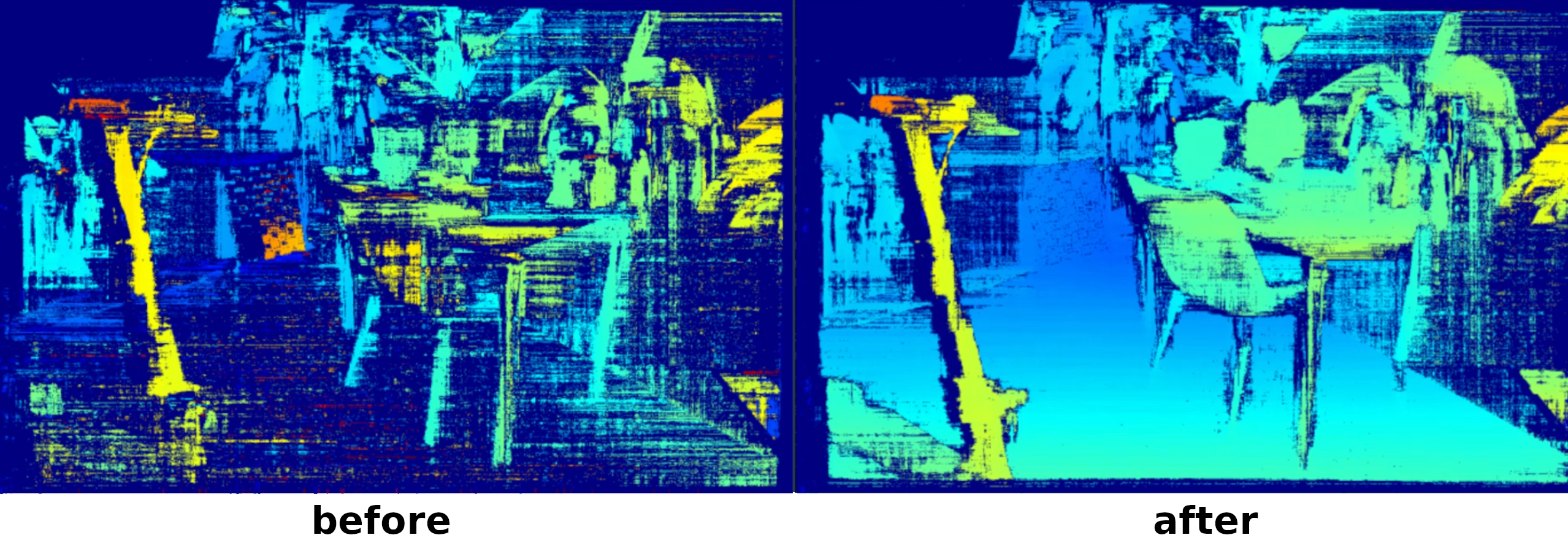
Key capabilities
- Restore depth performance — bring your disparity map back to crisp, geometrically consistent output.
- Continuous or manual operation — works in real time or via manual triggers.
- Calibration health monitoring — check alignment drift without modifying the device.
- Fast, robust recalibration — typically completes in seconds using live stereo input.
- No special targets needed — runs in natural scenes with feature-rich visual content.
- Supports all stereo cameras running DepthAI 3.0 — including OAK-D, OAK-D-Lite, OAK-D Pro, CM4 PoE, and more.
- Extending to multi-sensor calibration — newer workflows can calibrate connected sensor graphs and expose socket-keyed diagnostics.
Try it out in OAK Viewer (no code required)
OAK Viewer
OAK Viewer is a desktop GUI application that allows you to visualize the camera's streams and interact with the device. It is available for Windows, macOS, and Linux.
Click here to get started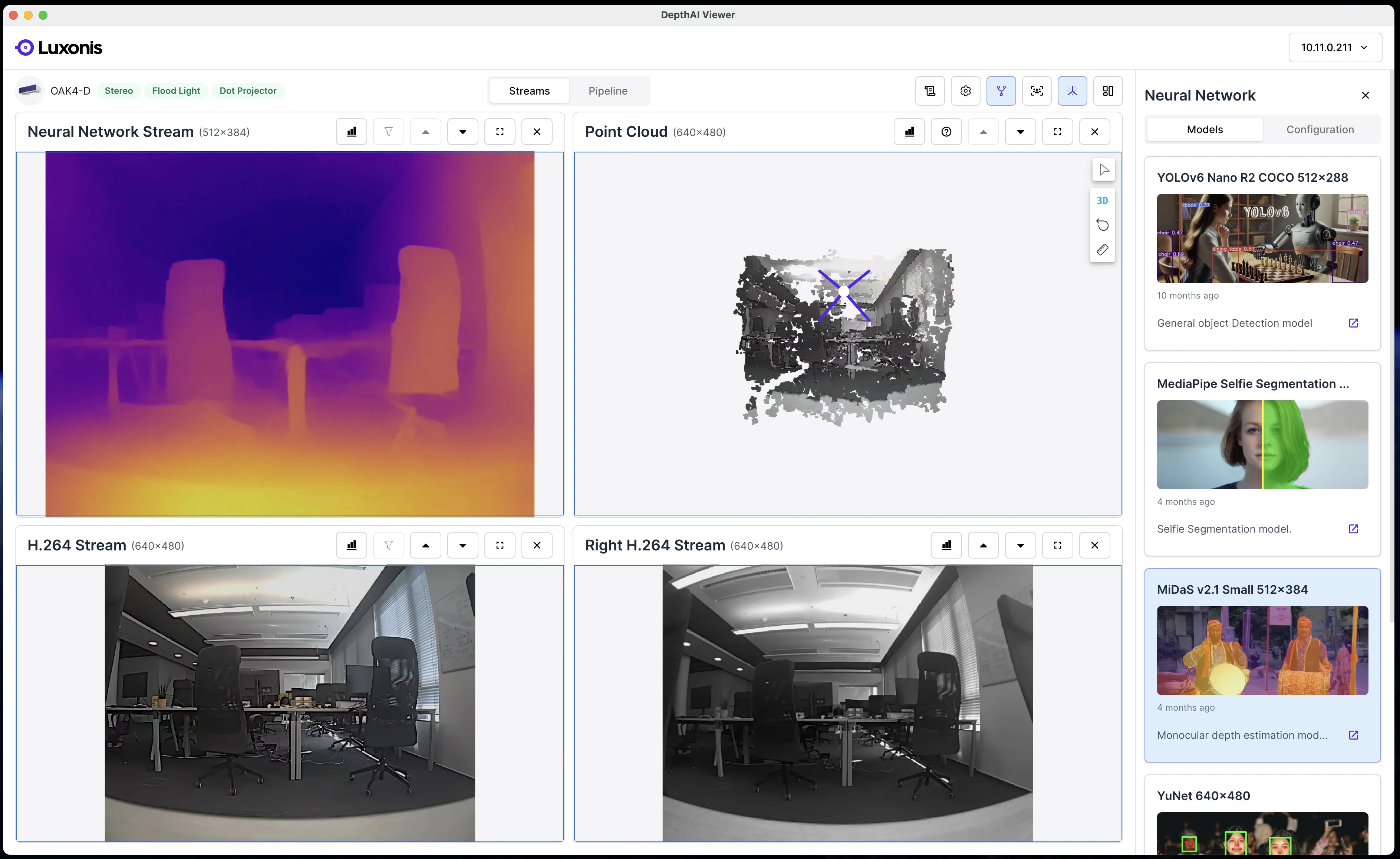
Automatic Calibration Procedures
ON_START and CONTINUOUS
- Start DCL automatically with
ON_STARTbefore normal operation. - Keep DCL running with
CONTINUOUSfor ongoing self-healing during runtime. - No manual DCL trigger needed in your application flow.
- Better chance of stable calibration in both startup and long-running deployments.
Multi-sensor and FFC workflows
- Multi-sensor calibration solved as one connected rig instead of unrelated pairwise updates.
- Known-baseline recalibration, where camera centers stay fixed and only orientation drift is corrected.
- Free-form recalibration for unknown baselines, useful on FFC setups that do not yet have reliable rig extrinsics.
- Socket-keyed diagnostics so applications can reason about coverage and rotation deltas per connected camera.
Scenery guidelines
- 包含多个深度的纹理对象。
- 避免空白墙壁或无特征表面。
- 缓慢移动相机以覆盖整个视场;避免突然移动。
| 建议 | 原始图像与特征覆盖(绿色) |
|---|---|
| ✅确保丰富的纹理和视觉细节 - 丰富的纹理、边缘和均匀分布在视场中的物体创造了理想的校准条件 | 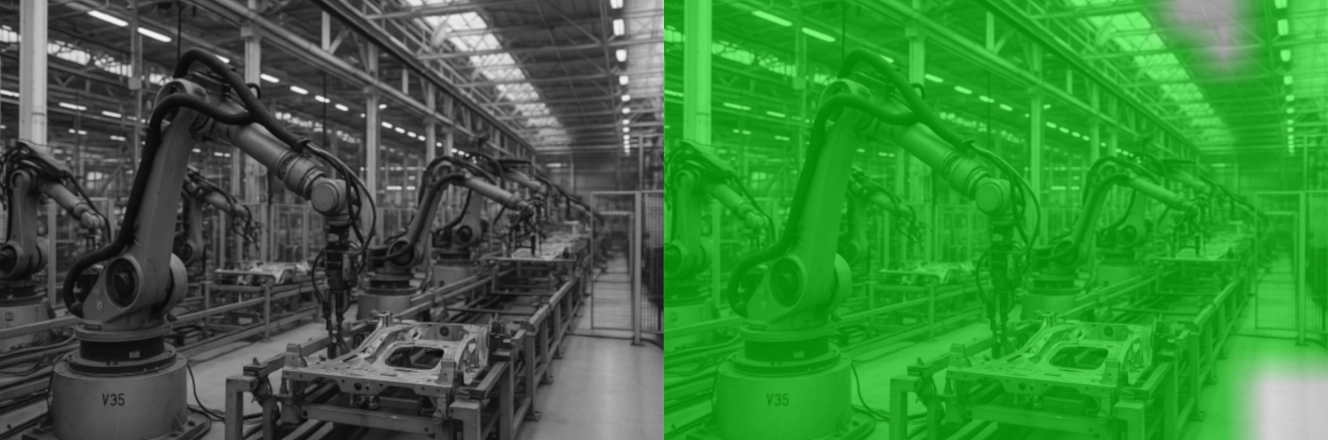 |
| 🚫避免平坦或无特征的表面 - 缺乏纹理表面或视觉上独特的物体提供的可用特征很少 | 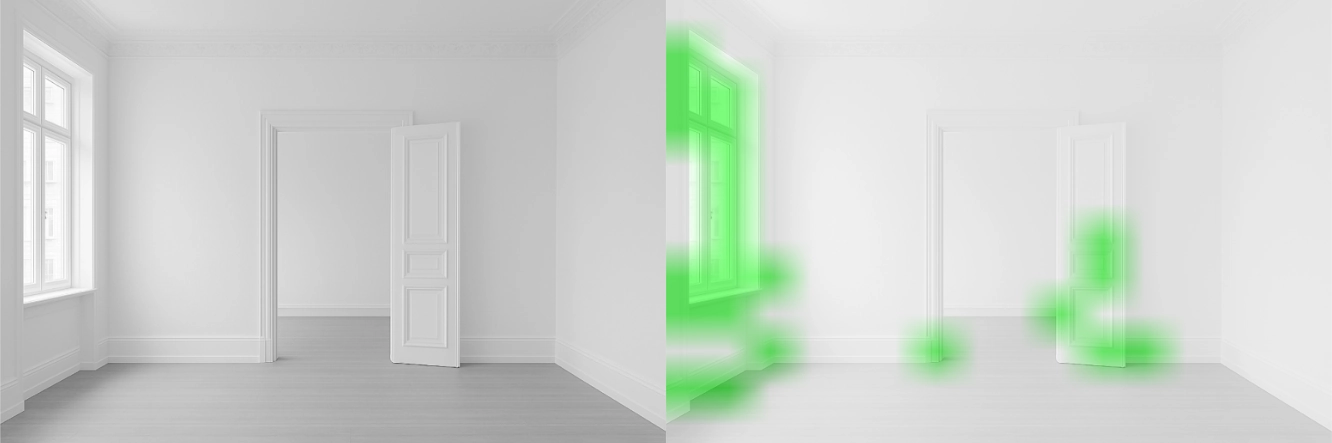 |
| 🚫避免反射和透明表面 - 反射和透明表面会产生错误的 3D 特征 | 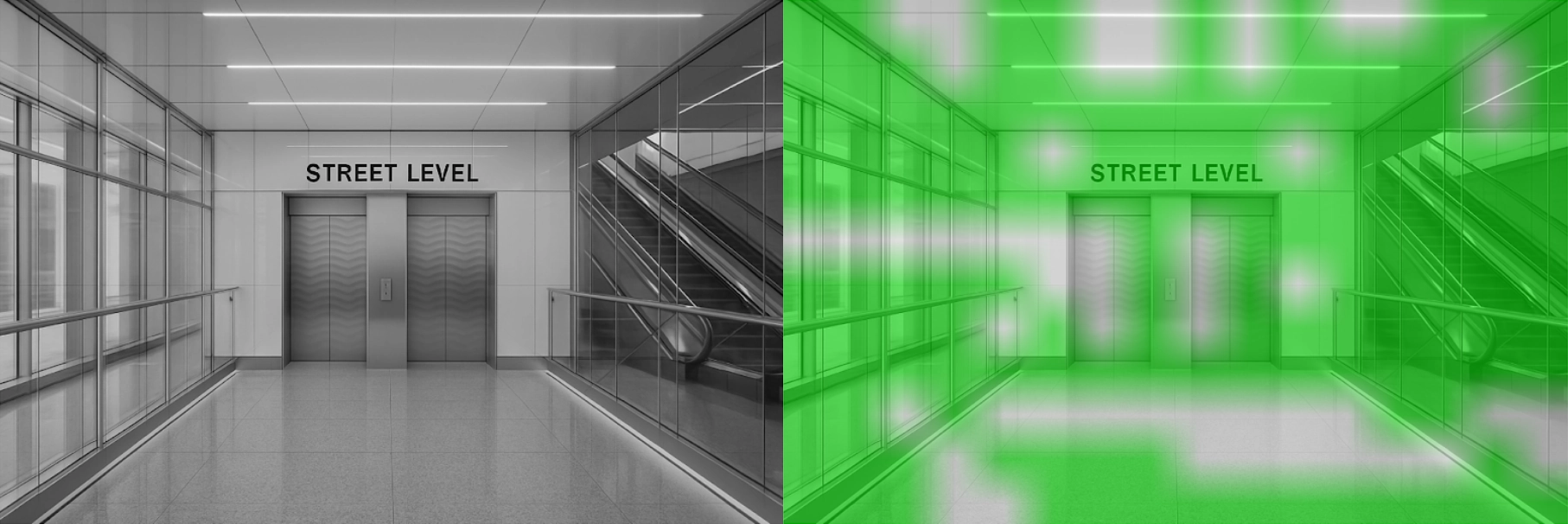 |
| 🚫避免黑暗场景 - 低对比度、阴影和光线不足的场景产生的可检测特征很少 | 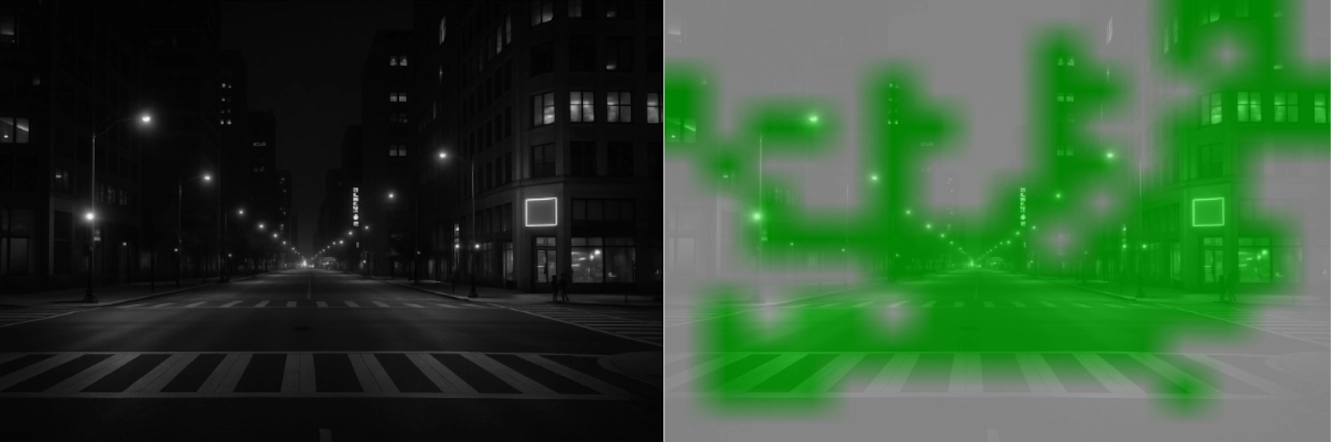 |
| 🚫避免重复图案 - 许多图案区域看起来太相似,难以区分 | 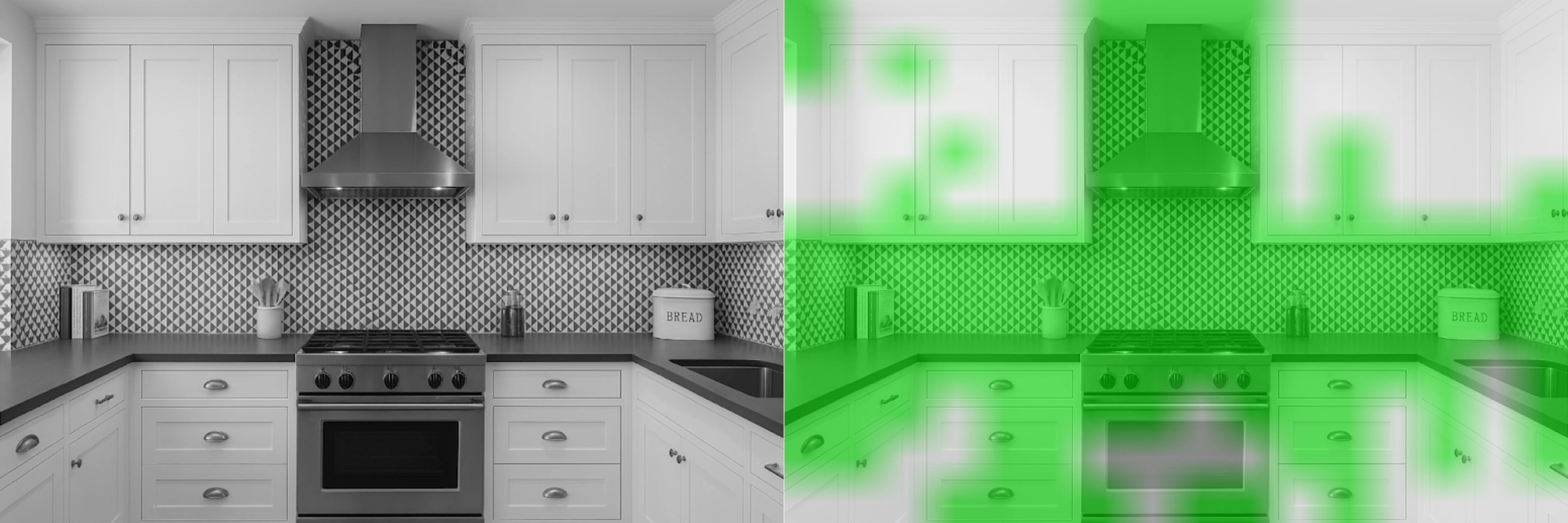 |
Developer Integration
Clone & Run the Example
Command Line
1git clone https://github.com/luxonis/depthai-core.git
2cd depthai-core/
3python3 -m venv venv
4source venv/bin/activate
5python3 examples/python/install_requirements.py
6python3 examples/python/DynamicCalibration/calibration_integration.py